Author Archive
My adventures at CMS Expo 2012
Guru wins “Best Joomla LMS” at CMS Expo!
So the CMS Expo got off to a pretty good start. The CMS Awards, in which developers were recognized for outstanding work in a number of different categories, were held on the first day… and Guru, our new learning management system for Joomla, won the an award for Best Joomla LMS! We are super excited because a lot of sweat went into this one, and it’s nice to see your work rewarded.

It’s even nicer though to see all the great things our customers have been doing with it. Take a look at some of these examples:
Since Guru’s release nine months ago, we’ve been able to convert it to Joomla 2.5 and to release twelve new versions with lots of new features. Our goal is to make Guru not only the best LMS for Joomla but also the best LMS of any platform. We think we’re getting there.
If you haven’t looked at Guru yet, check out the demo and our live learning center.
Weever Apps Make An Impression
Have you noticed that many of your visitors are stopping by on their mobile devices? The guys from Weever Apps are ahead of you. They’ve got themselves some serious funding that allows them to take mobile for Joomla and other CMS to the next level. They have a super slick component for Joomla (1.5 and 2.5) that allows you to have a very professional mobile version of your site in minutes. It’s very cool.
I met up with Andrew and Rob of Weever and spoke with them about how they can help our customers by adding mobile support to our extensions. We’ll be starting with Guru, DigiStore and Surveys. This could be a very exciting thing for us and our customers, and we will let you know how we get on.

Weever Apps Presenting at CMS Expo
If you’d like to see a live example of Weever Apps, go to seo.ijoomla.com using your mobile device.
Meeting Paul Orwig, the new OSM president

Paul Orwig, OSM President
Definitely one of the highlights of the Expo for me was meeting Paul Orwig, the new president of OSM. Although we’ve met previously, I got a better chance this time to have a meaningful chat with him about Joomla, its future and, of course, usability. My old friend Kendall Cabe and I composed a list of easy to fix usability issues in Joomla 2.5 and discussed it with Paul, and we hope that the team will take the time to fix them. These are mainly cosmetic changes that are very easy to fix, even within a day! I will try to post this list here on our blog shortly.
![]()
80 Learning Tracks
This CMS Expo was the biggest yet, with 80 learning sessions about topics ranging from SEO, design, social media and of course, my own Usability Testing workshop that was super fun and interactive.
Giveaways
Once again, some of the sponsors gave away iPads and other goodies. I didn’t win this time either but a new friend won — and on his birthday too, so well done to him!
The best part…

Expert Panel at CMS Expo
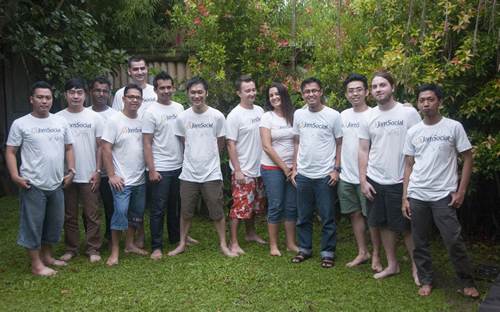
The best part about CMS Expo is always meeting customers and developers and getting to know them on a personal level We all spend way too much time in front of the computer and we tend to forget that behind every name or email there is a real person, CMS Expo helps us remember that every year!
How to Migrate Your Meta Tags from Joomla 1.5 to Joomla 2.5
If you ’ve been trying to migrate your site from Joomla 1.5 to Joomla 1.7 or Joomla 2.5, you know how difficult it can be. Tools like JUpgrade have made our life a lot easier but even JUpgrade only migrates the articles and menu items. The meta tags you ’ve created with iJoomla SEO? They get left behind.
If you have a significant number of articles, that’s a real problem. Copying and pasting all these meta tags can take hours, and because Joomla 1.5′s database structure is so different from that of Joomla 2.5 it ’ s impossible to do make the move directly on the database.
So we ’ ve built you a new migration tool. iJoomla Migrate allows you to export the meta tags from an old site and import the meta tags to the new site. It’s very simple.
But… iJoomla Migrate ONLY works if you use the JUpgrade migration extension to create your new site. Other tools will change your article item IDs.
Here’s how to do it:
Video Tutorial:
Step 1: Upgrade your site to Joomla 2.5 by using JUpgrade.
- Download Jupgrade here (you must register to download)
- Login to your old site’s admin and install JUpgrade.
- Follow the instructions on the JUpgrade interface to create your new site.
Your new site is now in the Jupgrade directory. For example, if your site URL is http://siteurl.com/ then the new site will be http://siteurl.com/jupgrade
Step 2: Export the meta tags from your old site.
- Download iJoomla SEO, unzip it. Don’t have iJoomla SEO? Buy it here.
- Install the iJoomla Migrate tool on your old site.
- Go to components-> iJoomla Migrate.
- Click the “ Export ” button.
- Choose iJoomla SEO.
- Click “Start.”
- The file export_result .php with the meta tags information will be saved to your computer.

Click the export button to export your meta tags from Joomla 1.5
Step 3: Upload iJoomla SEO and iJoomla Migrate on the new site.
- Login to the new site ’s admin.
- Upload iJoomla SEO for version for Joomla 1.7/2.5.
- Install the iJoomla Migrate extension.
Step 4: Import the meta tags information to your new site.
- Go to Components-> iJoomla Migrate.
- Click the “ Import ” button.
- Select the file you ’ve exported (export_result.php.)
- Click “Start.”

Click Import to import your Meta Tags into Joomla 2.5
Step 5: Make sure all the meta tags have been imported.
- Go to iJoomla SEO.
- Click on Meta Tags Manager.
- View the articles and menu meta tags to check that your meta tags have been imported. If some tags are missing, they are probably missing on your old site as well.
Notes:
- This process will not work with meta tags of third party extensions such as k2 and zoo.
- Only Joomla articles and menu items meta tags will be exported.
Good luck with your site migration. If you have any questions or run into any problems, feel free to open a support ticket.
The Evolution of Logo Outsourcing
Remember when creating a professional logo was a huge production? You had to meet with a graphic designer, explain your concept and describe the look you wanted. It took time and effort and it cost from a few hundred to a few thousand dollars, depending on the designer, the quality and the concept.

Then the internet came, and new services were born to make our lives easier and the world truly flat. Services like Elance.com let you to submit a logo request — or any other project — and see dozens of designers bid on it from all over the world. You could choose the designer based on his or her portfolio, reviews and bidding price. When people from India and other developing countries joined the fun, the bids really started to fall. Now you could get a logo for $150-$500 easily. You could work with the designer until you got the design you want, and pay only when you were happy. Elance changed everything. Brilliant!

Fast forward a few years and 99designs.com has changed everything again by adding crowdsourcing to logo outsourcing. Dozens of designers don’t simply bid on your logo project, they actually create the logo for you. For $200 you get over 50 logos to choose from. You’re not stuck with one designer who may or may not do a good job and you know exactly what you’re getting. You can even set the project so that designers can’t see what others are doing, and have to come up with their own ideas.
I’ve found that 99designs.com is perfect not just for logo creation but also with the concept. I’ve always found the idea stage the hardest so why not let a few dozen designers do this for you? Just tell them about your business or site and let them struggle for an idea.
Within a few days, you will see designs starting to roll in but wait until the week is over to get them all. The best often come at the end! Look for logos that are clean, simple and powerful. If you see something that comes close, just ask the designer to tweak it for you. They’ll be happy to make the changes.
Here are some logos I ordered through 99designs.com. As you can see, the quality is excellent.

Logos created by 99designs designers

And now another player has joined the game. Fiverr.com is a highly entertaining site that allows users to say what they would do for $5. You are not going to believe what people will do for a fiver. Some of those things are very bizarre.
But some are logos. I ordered a few logos from Fiverr and got a mixed bag. Some were pretty good. Others were… well, what you might expect for five dollars.
But hey, it’s only five bucks so you’re not losing much if you don’t like it.

I ordered a few logos from Fiverr and got a mixed bag. Some were pretty good. Others were… well, what you might expect for five dollars.
If branding is super important to you, then Fiverr is not the right choice; stick with 99designs.com and Elance. However, if you need a logo and budget is more important than branding, then the Fiverr crowd might just be enough. The risk is minimal!
Who is creating your logos? How much do you usually pay? Would you consider any of these services?
Social Ad Targeting Is Here!

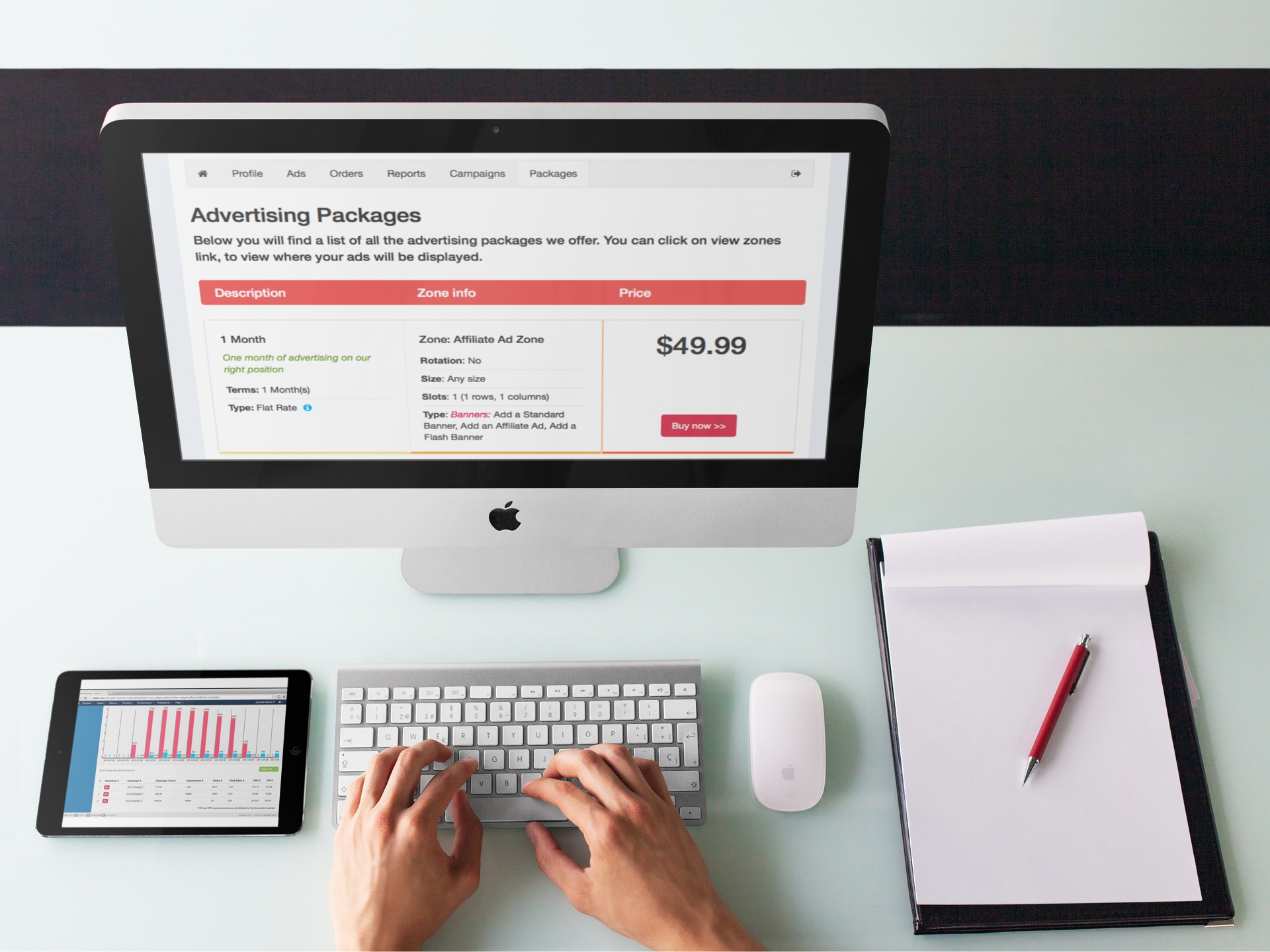
Joomla Social Ad Targeting with JomSocial & Ad Agency
We get lots of suggestions from our customers for features and Joomla enhancements that they’d like to see. We try to act on those suggestions whenever possible.
We’ve now acted on the request that we see most often.
We’ve integrated JomSocial with Ad Agency!
This revolutionary version of Ad Agency will help you take your advertising program to the next level — guaranteed!
Why JomSocial?
Let’s face it, since JomSocial came out, other community components for Joomla have been put to shame! JomSocial is comprehensive, powerful and its developers keep adding cool new features all the time. When it comes to Joomla and Social, JomSocial is the best solution around.
Target Any Ad Based on JomSocial Profile Info
- Want to show your ads only to women?
- Want to show your ads only to people with a college degree?
- Want to show your ads only to women over 30 with a college degree?
Easy! Simple! Done.
It’s called “Social Media Targeting.”
What is Social Media Targeting ?
Social Media Targeting lets you use all of the demographic data available on social media sites to shoot your ads directly to the people most likely to buy.
From Wikipedia:
Social Media Targeting is a method of optimizing social media advertising by using profile data to deliver advertisements directly to individual users. Social media targeting refers to the process of matching social network users to target groups that have been specified by the advertiser.
Video: Social Targeting With Jom Social and Ad Agency
If Facebook Does it, So Should You
Ever notice how well the ads on Facebook match your interests? It’s creepy… like Facebook can read your mind.
Actually, it can read your profile.
Everyone on Facebook has a profile, and that profile is packed with valuable information. It let advertisers be very specific about who sees their ads. Google has nothing that comes close. AdWords? That’s so five years ago. Social ads are what it’s all about now. It’s the secret to successful advertising and it’s what’s made Mark Zuckerberg a very rich man.
It’s Great for You Because:
When you can convince your advertisers that they can target the very best leads, you’ll find it easier to sell your space and for a lot more money!
After all, would you rather pay $100 for 5,000 useless clicks or $200 for 200 clicks that might actually convert?

Advertisers don’t have to throw their hard earned cash on people who aren’t likely to buy their products

Advertisers don’t have to throw their hard earned cash on people who aren’t likely to buy their products
It’s Great for Advertisers Because:
They don’t have to throw their hard earned cash on people who aren’t likely to buy their products. They can be as specific as they want with their ad and target ONLY the people who are the most likely to turn into paying customers.
For example, when I advertise iJoomla.com on Facebook, I only show my ads to people who mention “Joomla.” I don’t want to pay for people to click on my ad unless they are using Joomla and may become customers.
Ad Targeting – The Secret of Your Advertising Program Success
If you want to sell advertising packages on your website, you need to offer content-targeted advertising. It’s the only way to be sure you’re monetizing your website in the most effective way possible.
Help Advertisers Choose You, Not Your Competition
To persuade prospective advertisers to advertise on YOUR site and not on your competitors’ sites, you have to convince them that their money will be well-spent.
You have to make them believe that they will get back the maximum amount of revenue from their investment.
Here’s the advice your advertisers are likely reading online:
There are lots of websites and outlets online which offer internet advertising, but you should hesitate to take up even the best offer if it doesn’t provide you with targeted advertising. You might well pay more for targeted traffic but that’s because it is worth far more to you in the long run.” - Kontera.com
As you can see, advertisers are being advised NOT to advertise on any site unless it allows them to target their ads — smart advice!

You have to convince advertisers that their money will be well-spent.

You have to convince advertisers that their money will be well-spent.
You Can Charge More for Targeted Ads!
Targeted ads get more response than generic ads. We’ve seen it again and again, and that value translates into higher prices.
You can charge 2-10 times more for targeted ads! Give your advertisers the ability to target their ads and your site will be much further down the road to serious financial success.
Seamless and Effective Integration
I know. You think integrating targeted ads is going to be a lot of work and the last thing you want is more work.
I get it. As an entrepreneur myself, I know you don’t want a bigger workload. So let me assure you that adding targeted ads is the easiest and most seamless integration you could ever hope for!
How Does It work?
Select the profile questions to include in ad targeting.

Select which fields you'd like to include in the social media targeting
On the back-end, the admin can choose the ad’s targeting.

Adding Social Targeting to an ad on the backend
And on the front-end, advertisers can now choose the ad targeting, too.

Advertisers can choose how to target the ad

Download the latest version of Ad Agency and give social targeting a try. It’s very cool!
Do you have an online community? Will you be using this feature?
The easiest way to get paid subscriptions on your Joomla site!
MediaPass for Joomla!
Ever since the first days of iJoomla, right back when we came out with iJoomla Magazine, people have been asking me if we had a solution to enable paid subscriptions. We didn’t. I’d always hoped that someone else would come up with something and while a few extensions were created over the years to provide a solution, I just couldn’t get excited about any of them.
A couple of months ago though, MediaPass asked me to create a Joomla integration for their product. Their home page promises to add a subscription feature, just like the big publications use, within minutes. I was impressed! So I agreed, got to work, and… two months later, we have MediaPass for Joomla — an easy subscription service for Joomla sites.
Video: what is MediaPass for Joomla?
MediaPass take on all the tricky stuff. They handle the payments through their secure server and they deal with the customer service. All you have to do is install the extension we’ve created and choose your pricing plans. You get a check each month with your profits. MediaPass keeps 35 percent of the subscription fee for doing all the processing work and you keep the remaining 65 percent. That’s a fair deal in my opinion considering all the work that they do.
I don’t know of any other solution that’s so easy to implement, especially with our MediaPass for Joomla extension. I certainly can’t think of one so full of great new features such as the ability to add MediaPass automatically to articles.
So how does it work?
Once MediaPass is activated on the page, visitors are presented with the subscription box instead of the content. If they want to keep reading, they have to purchase a subscription. Very simple and very effective.
You can show the subscription box in two ways:
In Page
The subscription box appears right inside the page (view demo)
Page Overlay
The subscription box covers the entire window (view demo)
Here are some of MediaPass’s main features:
- Add MediaPass automatically to articles of chosen categories.
- Choose which part of the article will be covered by the subscription box. You can cover the entire article or only the text that comes after the “read more” tag.
- Add the MediaPass manually to individual articles using tags.
- Set the pricing for the subscription plans through mediapass.com .
- Customize your messaging and logo on the subscription box, also through mediapass.com access.
- View reports on mediapass.com .
And it even works for video too!
Create an instant teaser by showing the MediaPass subscription box after a few seconds of your video. To see the rest of the video, viewers have to pay for a subscription. Just add the MediaPass video code and decide how much of the film you need to show to land paid subscriptions. Easy!
View the video overlay demo here >>
And the best feature of all? MediaPass for Joomla is FREE!
Screen shots:

The MediaPass subscription box will replace your content

Choose which categories to include automatically

MediaPass for Joomla! Settings
How to find the module positions in Joomla 1.7
Knowing where your module positions are located is one of the most fundamental things you need to know when creating a site with Joomla 1.7, however, for some reason it’s not as easy to find as you would think. It was evident in the Joomla 1.7 usability testing I performed a few weeks ago. The tester simply couldn’t find it. Nor could I. I figured I would be able to do it on Joomla 1.7 relatively easily, but I had to hear about it from John Coonen from CMS Expo.
It was not easy to figure out in Joomla 1.5 but at least it was available as a default value. On Joomla 1.7 you’d have to purposely activate this feature to even see it.
Watch this video that explains how to find the module positions on Joomla 1.7:
Or read this explanation:
- Go to extensions-> templates
- Switch to templates tab
- Click on Options button on top right
- Choose “Enable” on the “Preview Module Position” field
- Save
Now you will see a preview link next to the template thumbnail.
A simple solution:
A simple solution to make things easier for everybody would be to add a preview link next to the “choose position” button, this way it is much easier to find.

Place a link to the site preview with module positions right where the user selects a module position
Did you bump into this issue? How did you find the solution?
Ad Agency Usability Testing Report
iJoomla Ad Agency is always a work in progress and even though we try hard to make it user-friendly, we have received reports that some advertisers have found the front-end confusing. So we decided to do usability testing. As always, it was a very eye-opening experience — even a mortifying one. When you’re doing Web and software development you simply have to do usability testing.There is no other way to predict how users actually use your product until you see them doing it.
This is just one of many usability tests we plan to do for Ad Agency; we are committed to making it the most user-friendly Joomla extension in the world!
Giles Fabris of DieHardCustomers agreed to act as the advertiser. He went through the sign-up and ad placement process.
Usability testing video:
Issues found:
The main issues were that notices were in the wrong places at the wrong times and that there was a lack of emphasis on the desired action button.
- The “Your account pending approval” notice isn’t clear enough.
- The “Select the ad type” notice isn’t clear enough.
- User didn’t see the home button.
- The notice on the adding banner page is confusing.
- The notice on the adding campaign page is confusing.
- The user seems stuck on an endless loop, confused by the placement of the notices.
- The user tends to click on the Cancel button instead of the Continue button
As always, the best action to take after doing usability testing is simply to get to work and fix all the issues as quickly as possible. And so we did. It took us a a couple of days to make the changes and add a few enhancements on both Joomla 1.5 and Joomla 1.6+ versions. Now a new and improved version is available for download.
Here’s a list of changes:
- Changed “Your application is pending approval. Meanwhile you can add your banner/ads.” to: “Your advertising account application is pending approval. As soon as we approve your application, we will send you an email. In the meantime, you can still add banners and campaigns.”
- Removed the notice “You have no campaigns available for this banner type/size. Please add a new campaign here.”
- Removed the notice on campaign creation: “There are no banners available for this campaign. Banner/Ad requirements:..”
- Placed “Add Banners” link on campaigns that have no banners.
- Instead of using the .button class for all the buttons, we added our own classes. The Cancel button is now in light gray and the Action button in orange so that the user can easily see what to do next.
- Changed “Select the ad type” to “Below you will find a list of the available ad types. Click on the one you’d like to add to continue”
- Made the “Home” button smaller and added a link to “Advertiser Dashboard.”

Placed "Add Banners" link on campaigns that have no banners.

Instead of using the .button class for all the buttons, we added our own classes. The Cancel button is now in light gray and the Action button in orange so that the user can easily see what to do next.
You can download the latest version here. Enjoy the improved Ad Agency and stay tuned for more usability improvements soon.
Joomla 1.7 Usability Testing Report – Placing a module on the site
Giles Fabris of DiehardCustomers.com is a good friend, a business coach and a customer service guru. He’s also a new Joomla 1.5 user who has been working with the CMS for the past three months. He is a typical Joomla end-user: a business owner, not a developer. I had just one task for him: to place a module on the left side of the template. I wanted to do Usability Testing with him to find out how easy (or hard) it is to accomplish such a basic task with Joomla 1.7.
Here’s the usability testing video:
Usability Testing Summary:
- Giles can see that some module position names make some sense but they are not clear. He thinks that by clicking those modules he will see more detail about each position. He is surprised to find that the module position changes when he clicks.
- I asked him how he can find the position that goes on the left.
- He decides to open the Template Manager.
- He is confused by the two stars on two different templates. He is not sure which is the default template and he doesn’t understand the difference between the “site” and “administrator” templates.
- He opens the site default template but is confused because it doesn’t look like the old one. He can no longer find the the “preview” button and thinks that by clicking on the “view sites” he will see the positions.
- He tries the admin template but that doesn’t help either.
- He decides to click the Help button but he is still not sure what the default template is.
- He tries to look at the template link, but only finds a page for information about the template.
- At this point, Giles said he would call me for help.
- He clicks the Help button again but doesn’t find it useful and says he is not expecting Joomla to be user-friendly.
- At this point he would give it five minutes then seek help from a Joomla professional.
Recommendations:
These issues are “low hanging fruits”: they’re obvious problems that are easy to fix.
- Show only site templates by default. Users will see only one star for the default template, just like Joomla 1.5
- Bring back the site preview with the positions feature, and place a link to it right where the user selects a module position.

Place a link to the site preview with module positions right where the user selects a module position
- Show a video tutorial inside the Help window.
I asked Giles to provide some last words about his usability experience. This is what he had to say:
Making Joomla more user-friendly should not be hard. It requires taking a few weeks off development to focus on usability testing and fixing the UI. Ninety percent of the usability issues that I found are very easy to fix. I will be performing more usability testing for Joomla 1.7 and hopefully the Joomla team will implement some of the recommendations.
What is your usability experience with Joomla 1.6 and Joomla 1.7?
Buy iJoomla SEO, get some cool Joomla Extensions from our Partners for FREE!
Hey everybody,
I’ve worked out a sweet deal for you this week. From now ’til this Friday night at midnight, the next 30 customers who purchase our iJoomla SEO extension ($99) will get a free copy of the amazing new EasyBlog Blogging software for Joomla (Community Edition) by StackIdeas. That’s a $45 value…FREE!
EasyBlog is, in my opinion, the best blogging solution available for Joomla (we love it so much, we use it on our Ad Agency blog). It’s powerful, supports multiple bloggers on your website, includes built-in ratings & comments (Facebook comments, RS Comments & JomComment support); is gorgeously styled…and the best part, it’s FREE when you purchase iJoomla SEO
Do you want to be a search engine magnet? iJoomla SEO will optimize your Joomla site for search engines easily AND monitor how your keywords are doing on Google. iJoomla SEO (for Joomla 1.5, 1.6 & 1.7) will help you climb search results quickly, easily and with minimum effort. All the SEO pros are using it, shouldn’t you be?
SPECIAL OFFER: Buy iJoomla SEO, get EasyBlog extension for Joomla- FREE!
A $45 value–first 30 SEO customers!
But wait, there’s more. With your purchase of SEO, I will also send you over $25 in free discount coupons for some of the most popular 3rd party Joomla extensions out there–deals you won’t find anywhere else.
Coupon #1: Buy SEO, get a coupon good for a FREE copy of ‘corePHP’s’ popular Youtube module for Joomla. Easily post Youtube videos on your Joomla 1.5-1.7 website in a variety of sizes & colors AND from a variety of authors, channels and playlists with this awesome module. * Your coupon will be included in the SEO installer package.
Coupon #2: Buy SEO, get a coupon good for 20% OFF hwdMediaShare’s Pro Subscription package. hwdVideoShare lets you turn your static Joomla 1.5-1.7 website into a complete video & media-sharing destination–just like Youtube & vimeo. If you want to attract and keep traffic to your Joomla website…this will extension will help you do that. * Your coupon will be included in the SEO installer package.
If you need better Google page ranking and would like free Joomla software & coupons, too, then you should grab this deal before it’s too late. This offer expires Friday night (July 29) at midnight, or whenever the 30th SEO customer has purchased (whichever comes first). Don’t delay and grab your copy of iJoomla SEO today!
What’s new with iJoomla?
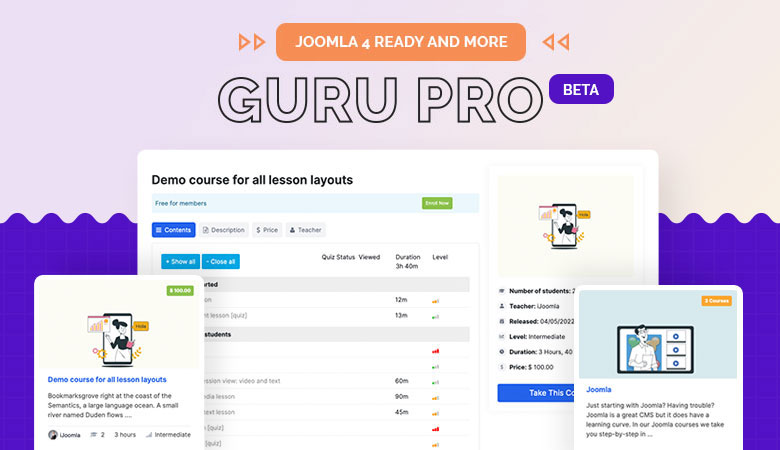
iJoomla LMS is now Guru

Guru Logo
In a last minute change before the grand release, we’re giving iJoomla LMS a new name: Guru. Why Guru? Because everybody is a guru at something. Everyone is an expert at what they do best, and everybody has knowledge that others would love to possess.
And they’ll pay for that knowledge.
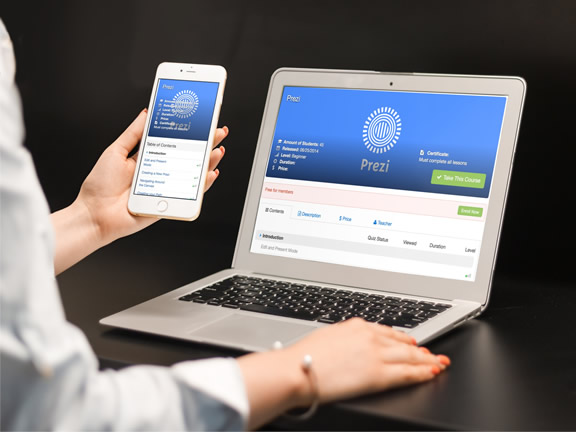
Guru allows anyone to create online courses and generate revenue automatically. Sounds good, doesn’t it? Sign up to be a beta tester and get more information, including some brand new screenshots, here:
We expect to release Guru beta by the end of this month.
Coming soon! iJoomla Learning Center
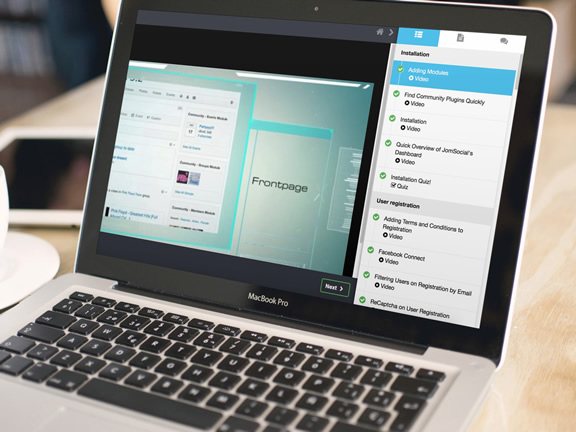
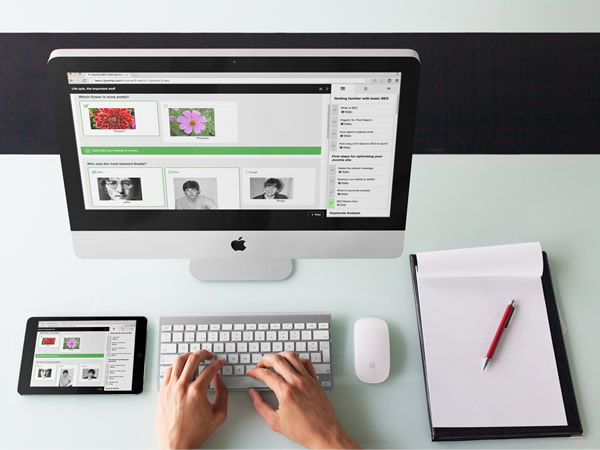
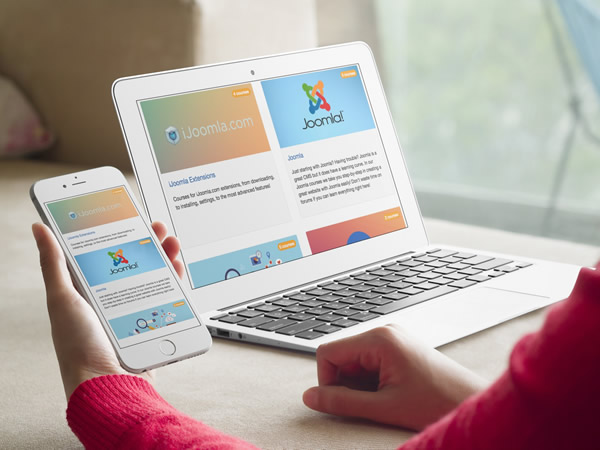
Guru’s new Learning Center is almost ready for launch. The Center will contain quality courses about not just Joomla but also SEO, web design, business, social media and more!
We want this Learning Center to be the ultimate resource for anyone doing web development in general and working with Joomla in particular.

iJoomla Learning Center
Are you a Guru? We want YOU!
Are you a guru in any of the following topics? Apply to be a teacher on our learning center and make money from your knowledge.
We’re looking for gurus in the following topics:
- Any Joomla Extensions (JomSocial, VirtueMart, RS Forms, etc.)
- Social media
- Web design
- Marketing
- Business
- Graphic design
And any other relevant topic. Languages other than English are also welcome.
If you’d like to join our team of gurus, do send me (merav@ijoomla.com) your course tree and a link to a sample video tutorial. Only serious applications will be considered.
Be a Guest Author on our Blog
Do you specialize in a topic related to web design or business? We are looking for guest authors for the iJoomla blog. Each post on our blog gets 1000-10,000 hits, so this is a great opportunity to win exposure for your website or services. The post can be anything from tutorials and new ideas to interviews, tips, extensions reviews, news and more.
If you think you fit, please send me (merav@ijoomla.com) an original blog post that hasn’t published anywhere and a short bio of you. If your post is accepted, I’ll get right back to you.
Ad Agency for Joomla 1.6 Coming Soon
We are currently testing the Ad Agency for Joomla 1.6. It’s all going smoothly so far, and we’re hoping to release a beta version within two weeks.